...
Goods from Stock is the shop’s own product database updated from your administrative area. Products can further be seen in the particular categories, put into the shopping cart, ordered, and etc. Whereas products from Taobao are transferred directly from product aggregator site, “Goods from Stock” are stored on OpenTrade Commerce services. You can either add an item to the catalog yourself or use information from Taobao.
| Информация |
|---|
"Goods from stock" module uses paid Calls. Calls cost depends on your tariff. |
The “Goods from Stock ” module is a paid add-on to the Box. See a detailed description of how the said module can benefit your business here: Goods from Stock (module description) .
...
This will show up a form where you should click on the dashed blue underlined text “Choose item available”.
...
If you need to edit a product please look at the list of products. Click on click the pencil button in the “Actions” column.
...
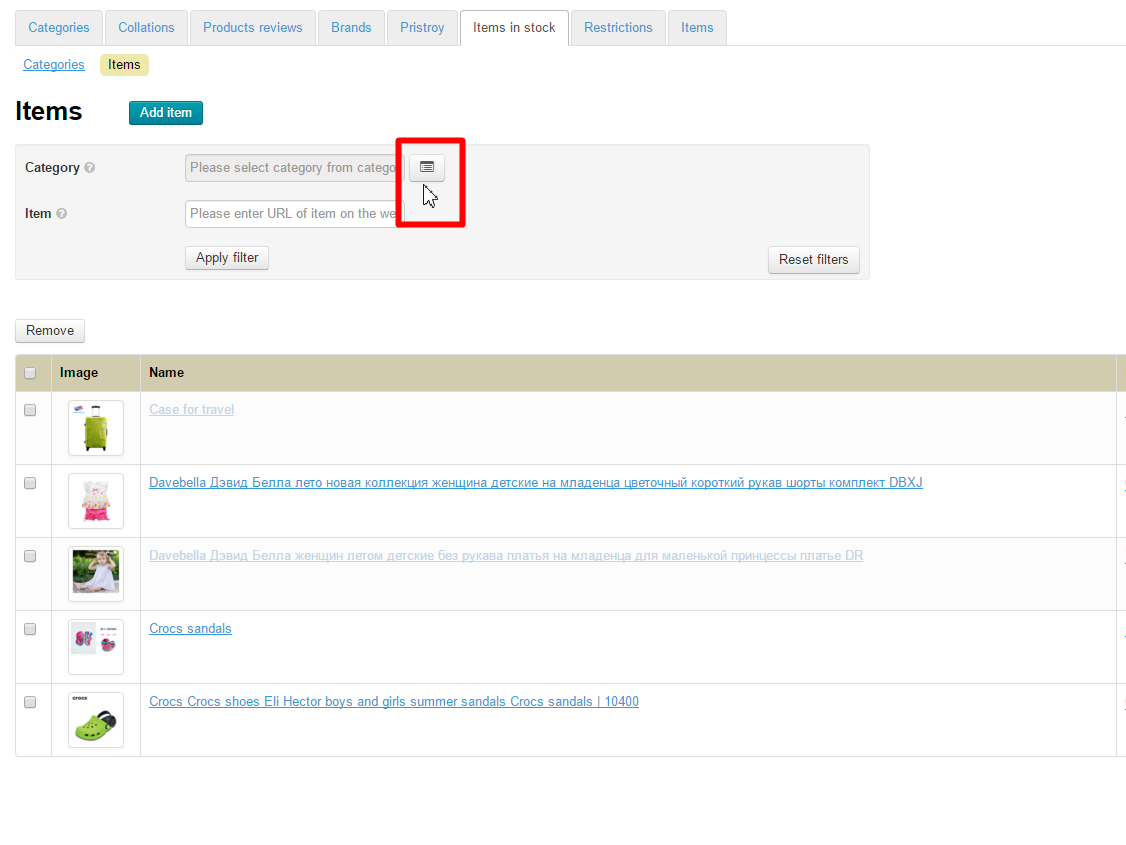
Click the “Select in Category tree” button to view all products of a certain category.
Click on click the desired category.
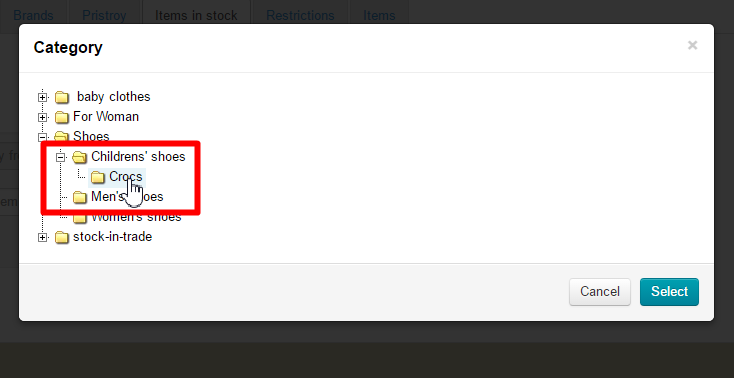
Click the “Select” button.
...
Go to the “Catalog” section and click on the “Categories” tab.
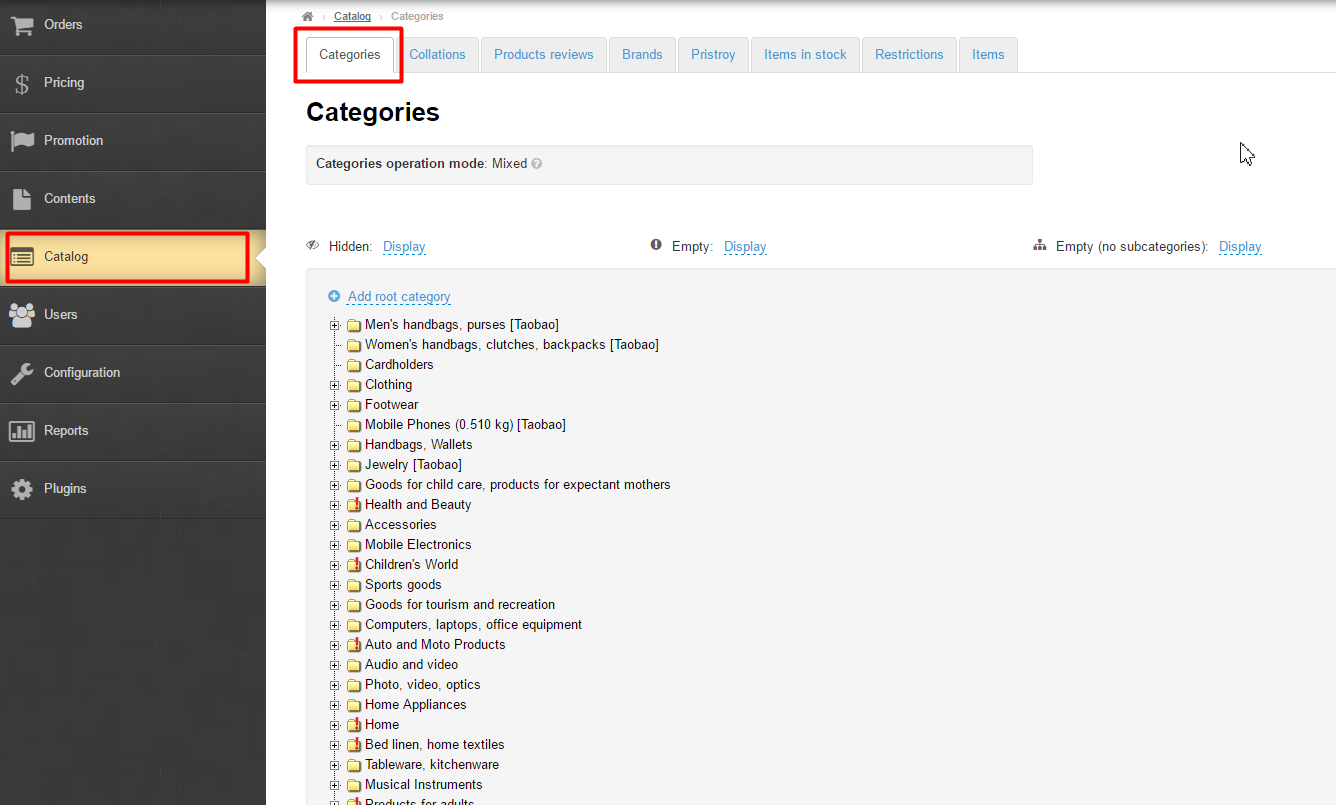
Click on click the dashed blue underlined text “Add root category”:
...
To show Goods from Stock on the homepage you should go to the “Configuration” section and click on the “Website architecture” tab.
...
Here you can configure products to be shown in a catalog. Navigate to the “Configuration” section and click on the “Website architecture” tab.
...
Here you can configure products to be shown in search results. Navigate to the “Configuration” section and click on the “Website architecture” tab.
...