Obtain Autopurchase Key
Obtain Key from OT
We can provide you with our own Key for Autopurchase. Please write to support manager in your Telegram chat to obtain the Key.
Create Your Own Key
| Important: Previously, Key limit was 5000 products, but now it has been reduced to 1000 products. Once the purchase reaches 1000 products, a new Key must be created. |
|---|
Follow the link https://open.1688.com/solution/detail?spm=a260s.26056301.0.0.6cc455edYW2sHt&Key=1613638539385 Click on the orange button at the top.
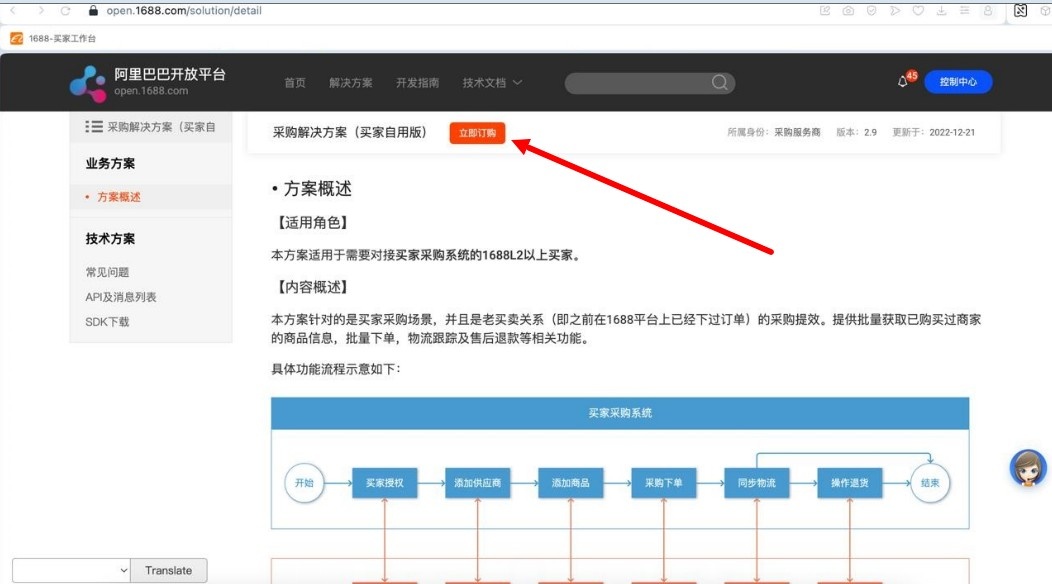
The website will ask you to fill out an application to obtain ‘Procurement Service Provider’ status. Agree:

If your account is new and not all information has been provided, the website will prompt you to complete it.
The screenshot below shows a message asking you to fill in your company details.

Select a suitable role:

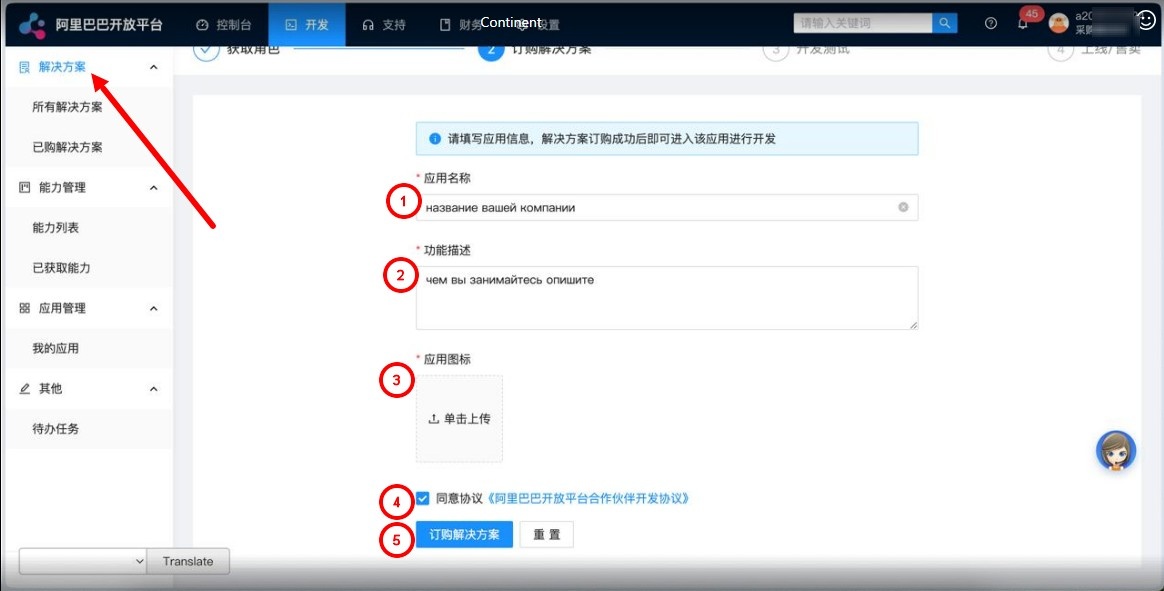
Next, fill out the form, indicating the company, type of activity, etc.
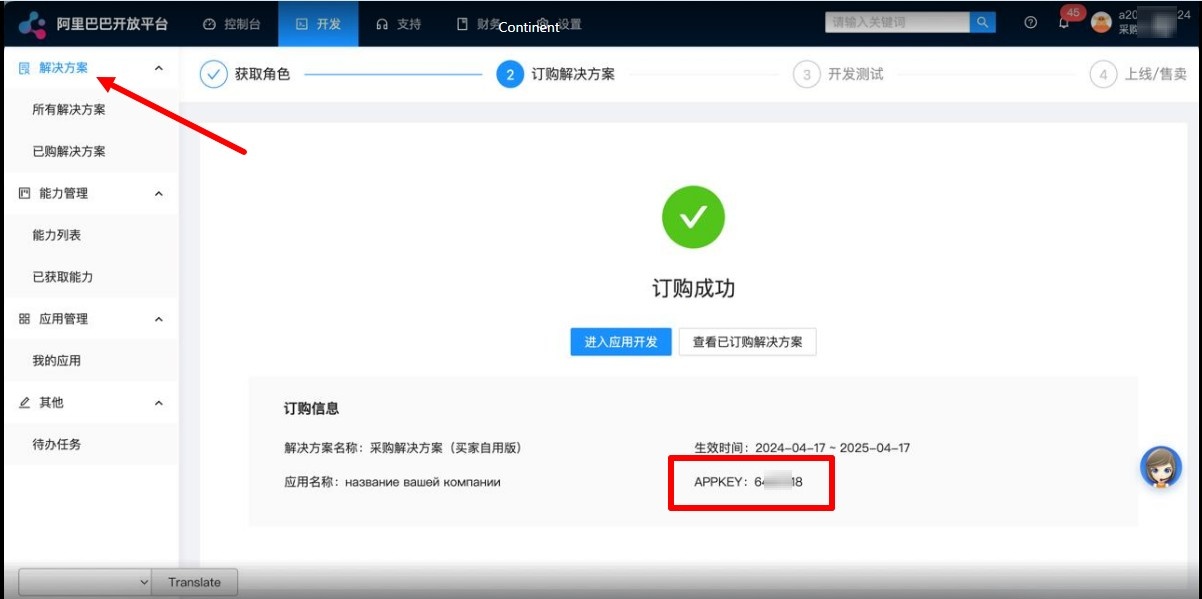
The test Key for Autopurchase was created successfully.
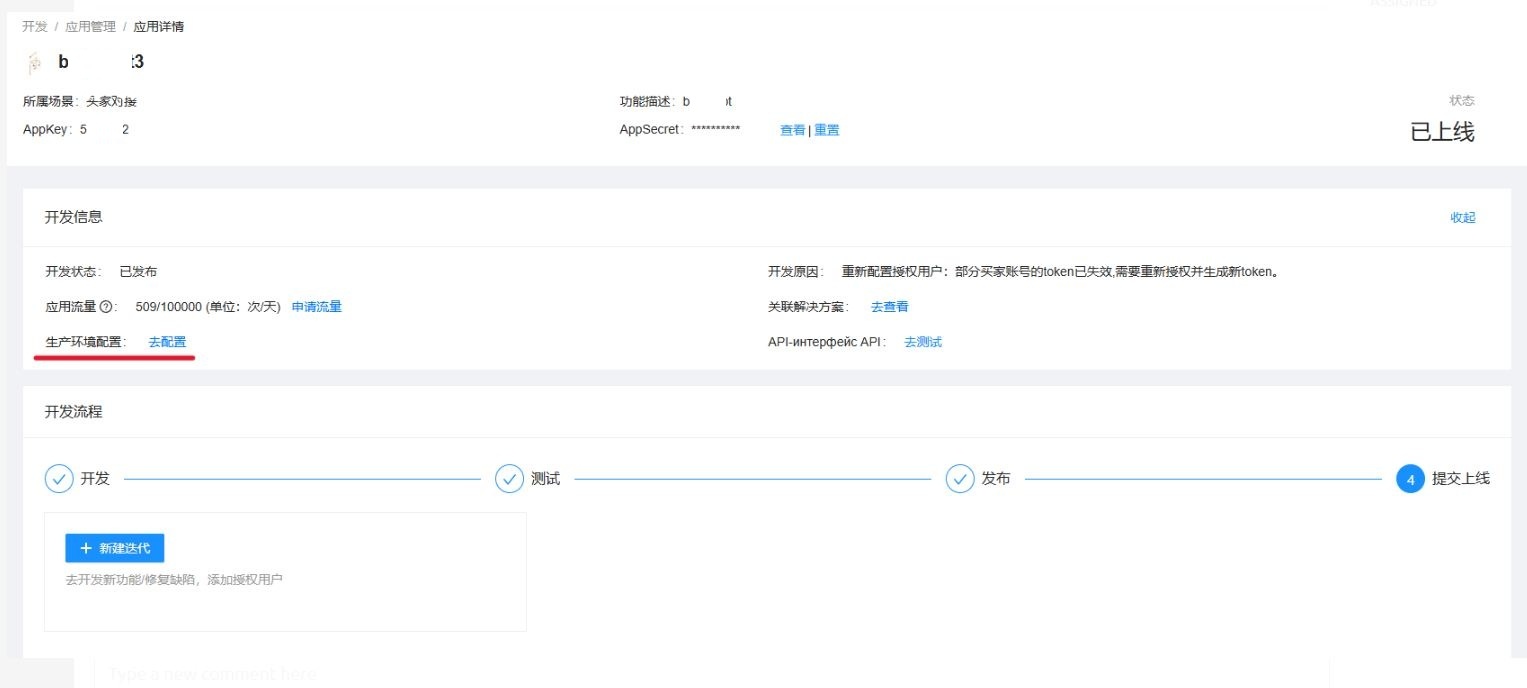
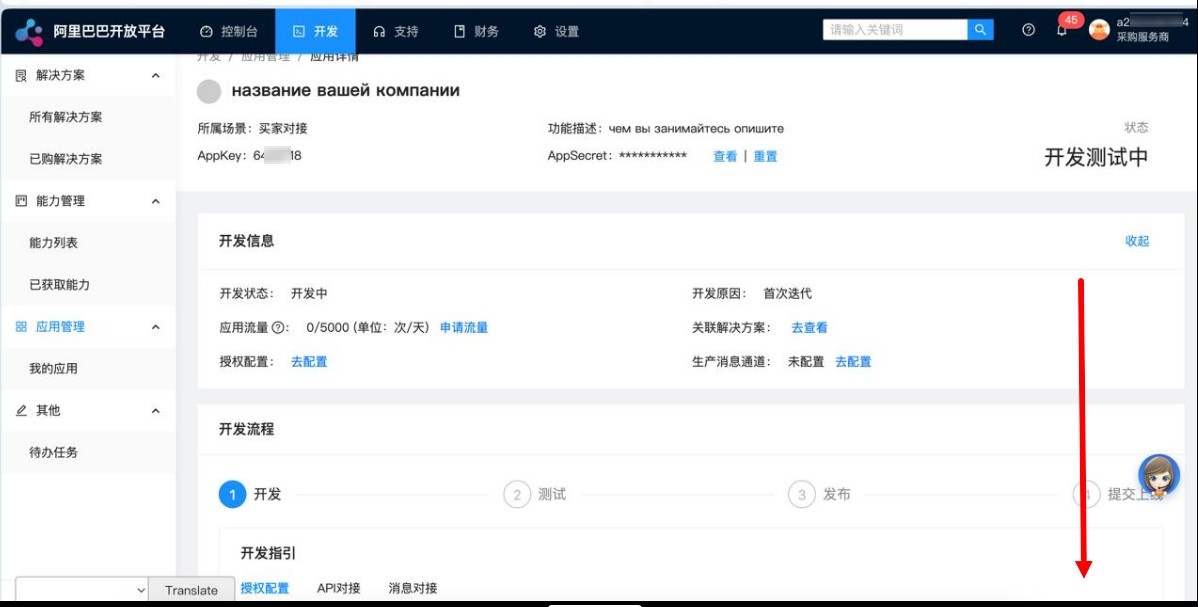
Return to the created test Key for Autopurchase and scroll down the page
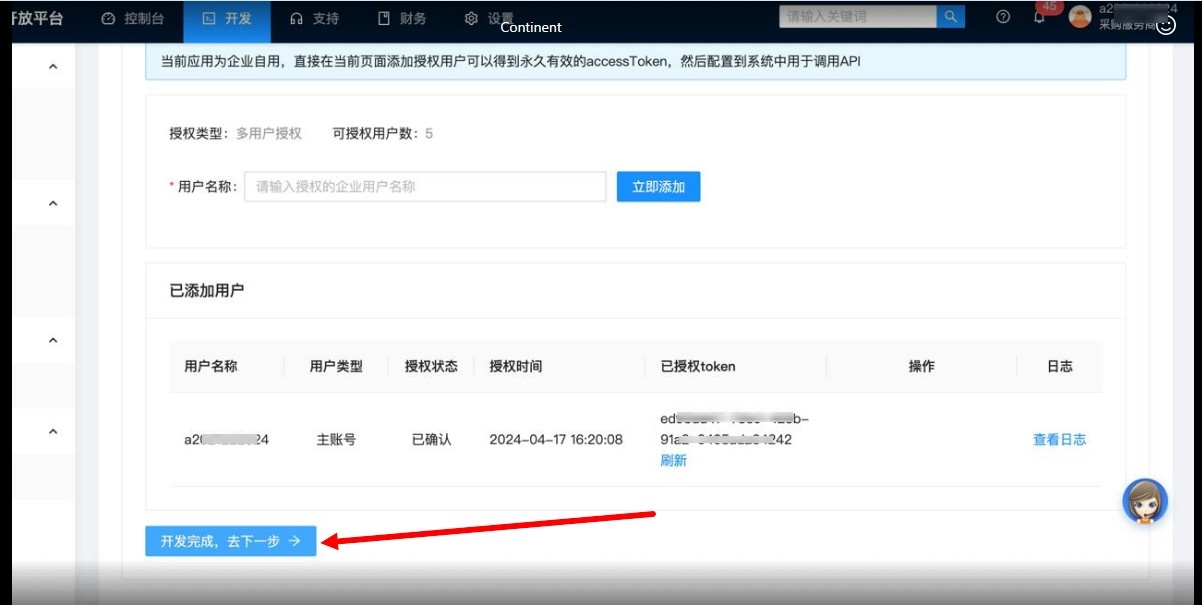
You need to click on the blue button below.
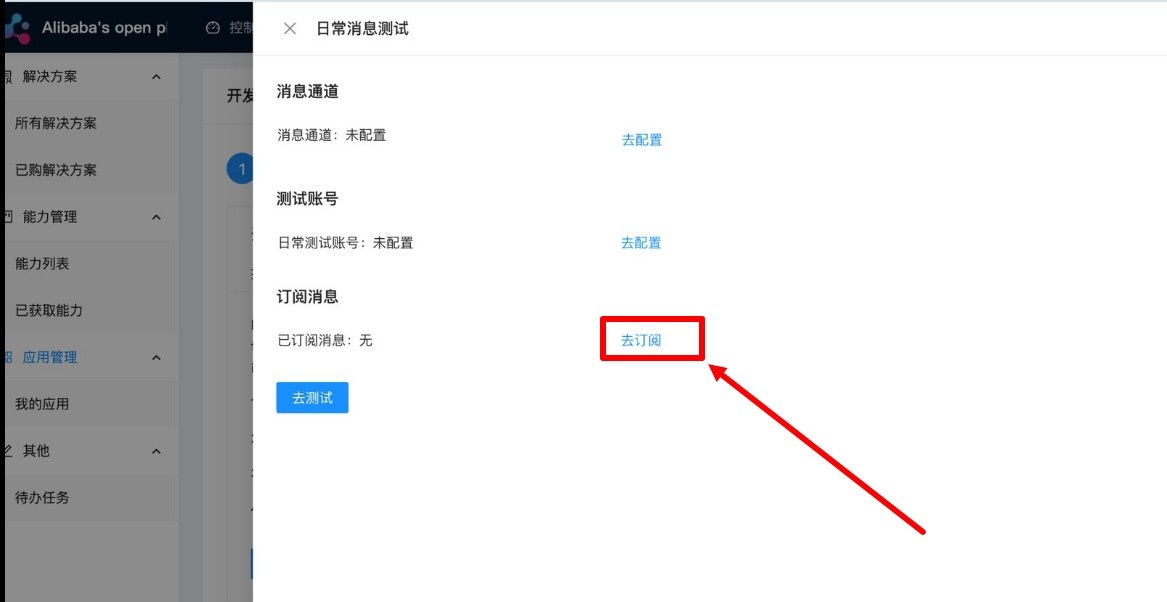
Select section 4 to configure the Key for Autopurchase.
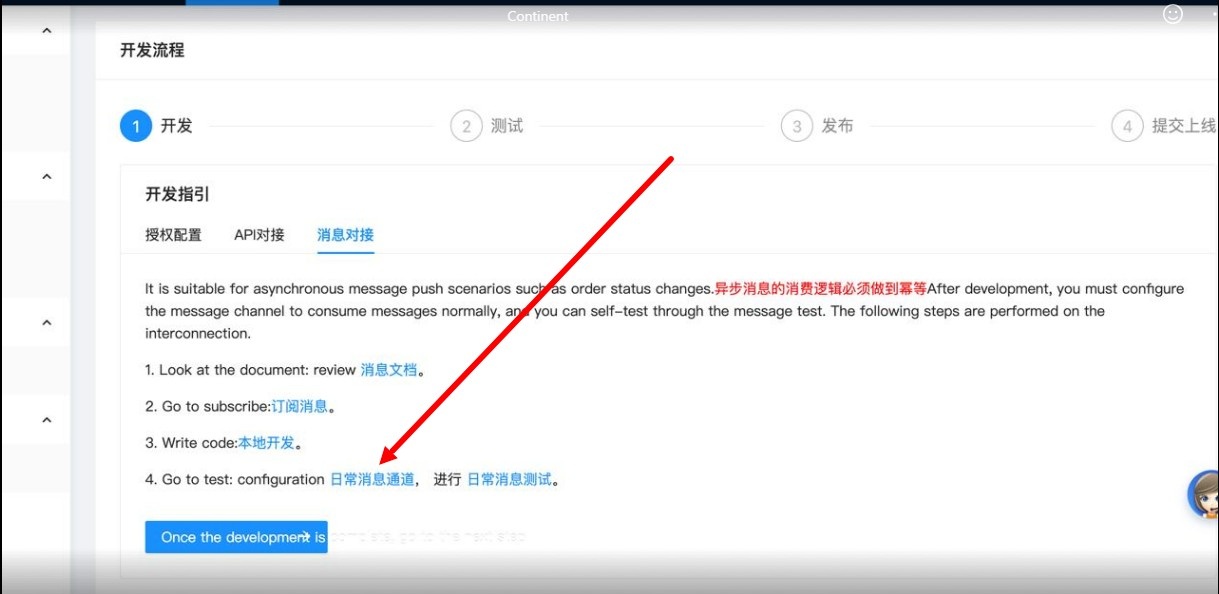
Select the first button.
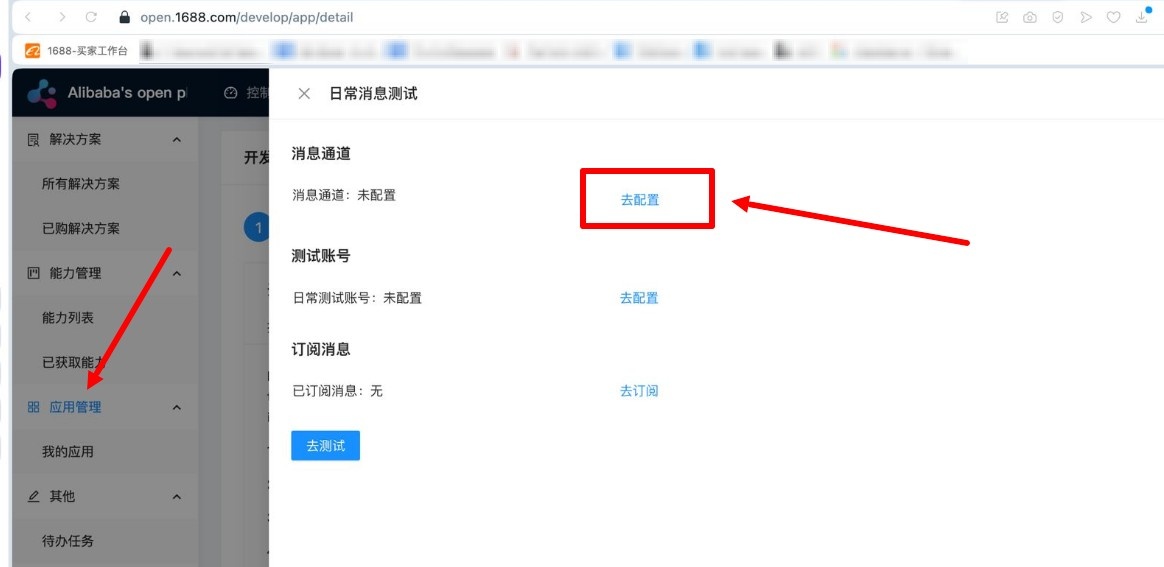
Select Websocket, click on the blue button below and exit.
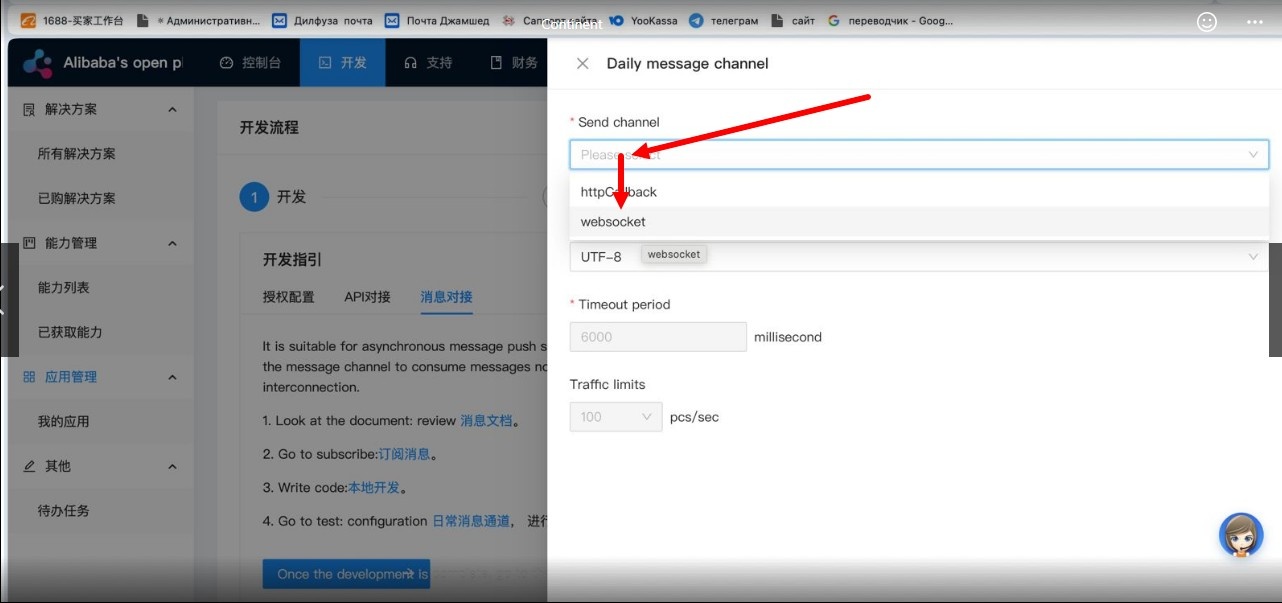
Now select the second button and indicate your account ID where you will buy products on the original website
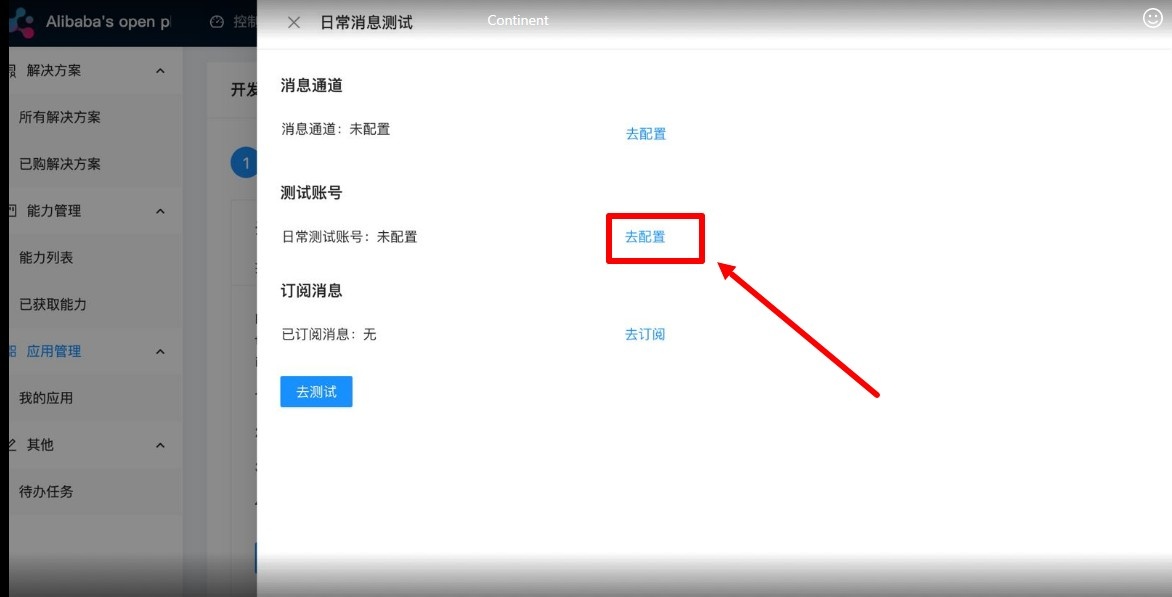
You can see your account ID here


Now select the third button, select all the commands and click on the area where there is a check mark on the screen
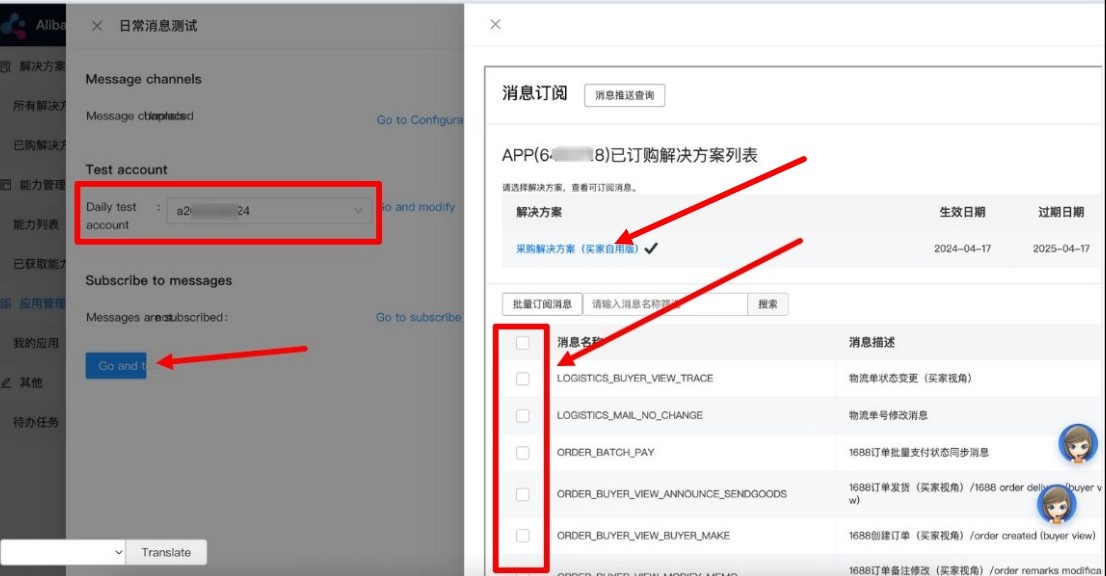
Confirm sending the test commands with the blue button and exit.
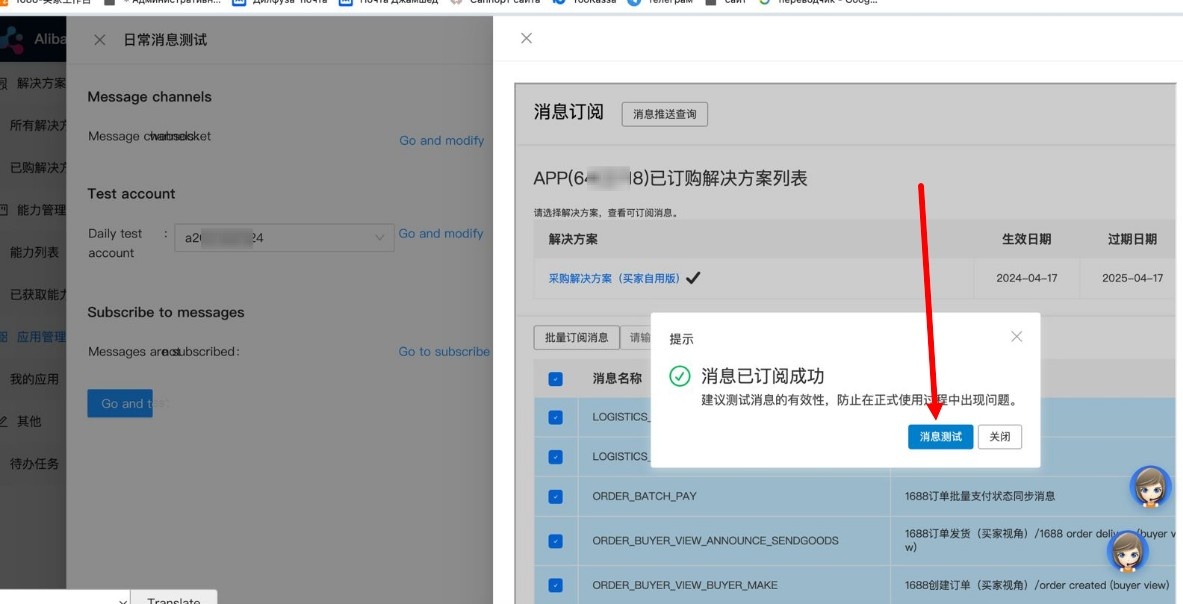
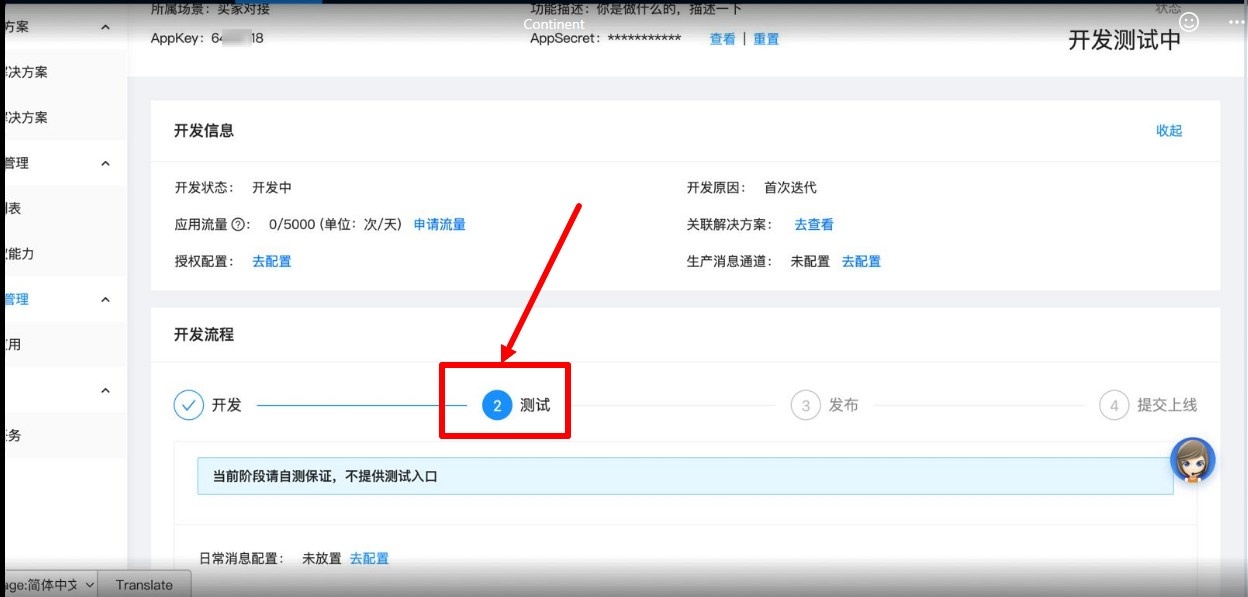
Exit the settings and click on the blue button on the screen (the translated page is in English in the screenshot) and that’s it
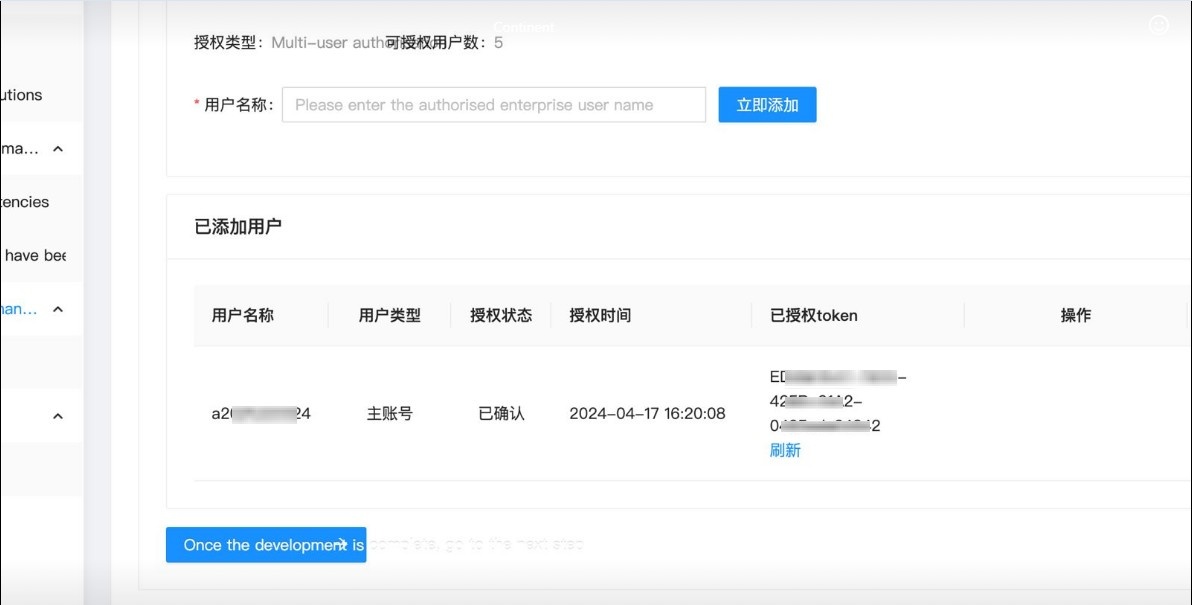
You should have completed step 2 of the test and that's it.
- You also need to link your Alipay account. This is required to reserve items on 1688. You can link your Alipay account using a business or personal Alipay account (linking a personal Alipay account is not guaranteed).
Add Key in OT Box
You must have Autopurchase module installed to work with autopurchase. Go to “Plugins” section in admin panel of OT Box and find ‘Autopurchase’. Click on it. If the plugin is not there, contact manager in your Telegram chat.

Select 1688 on "Settings" tab

Indicate Key in settings.
- If you have a private key obtained according to the instructions above, enter both the Key and the Secret.
- If you have a key obtained from OT manager, fill in only the ‘Key’ field; the Secret will be filled in automatically.


If your key has a permanent token
- How to check whether your token is permanent or not:
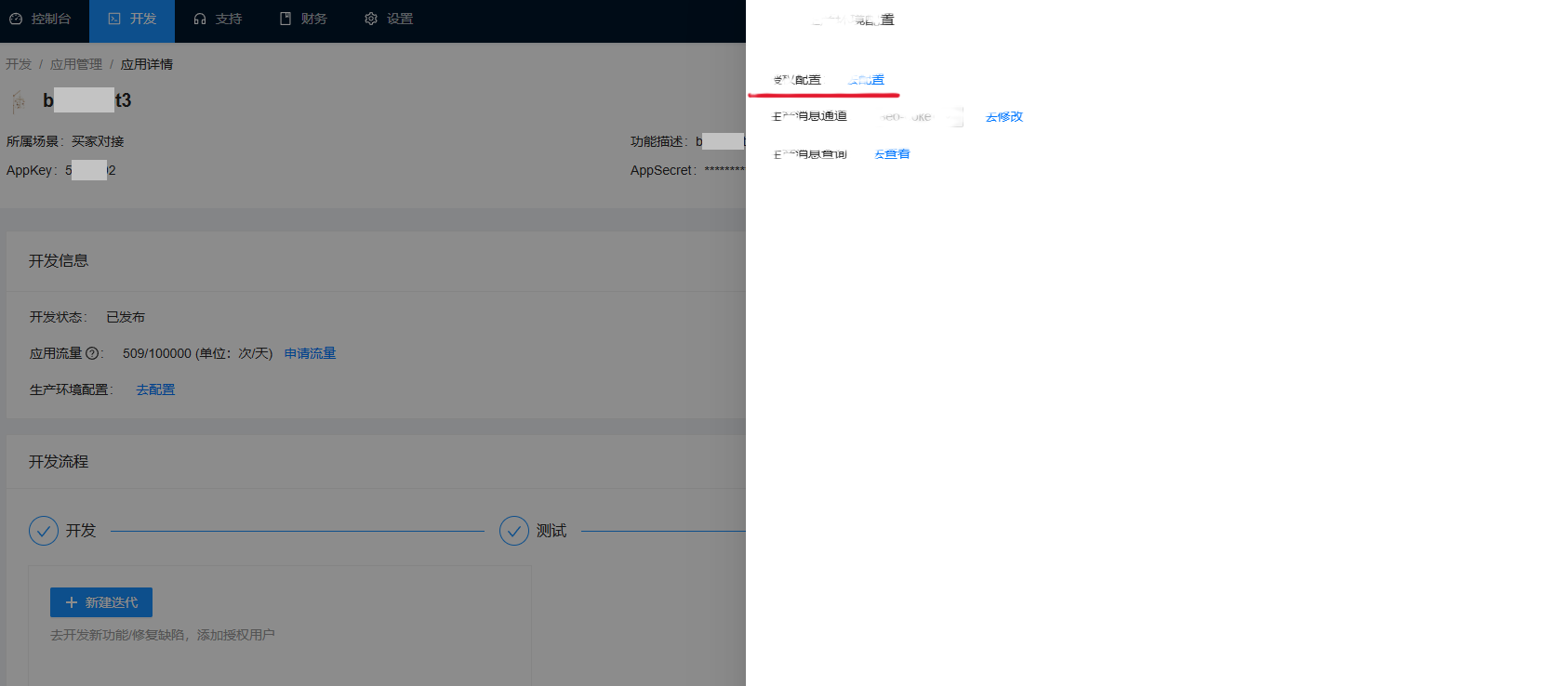
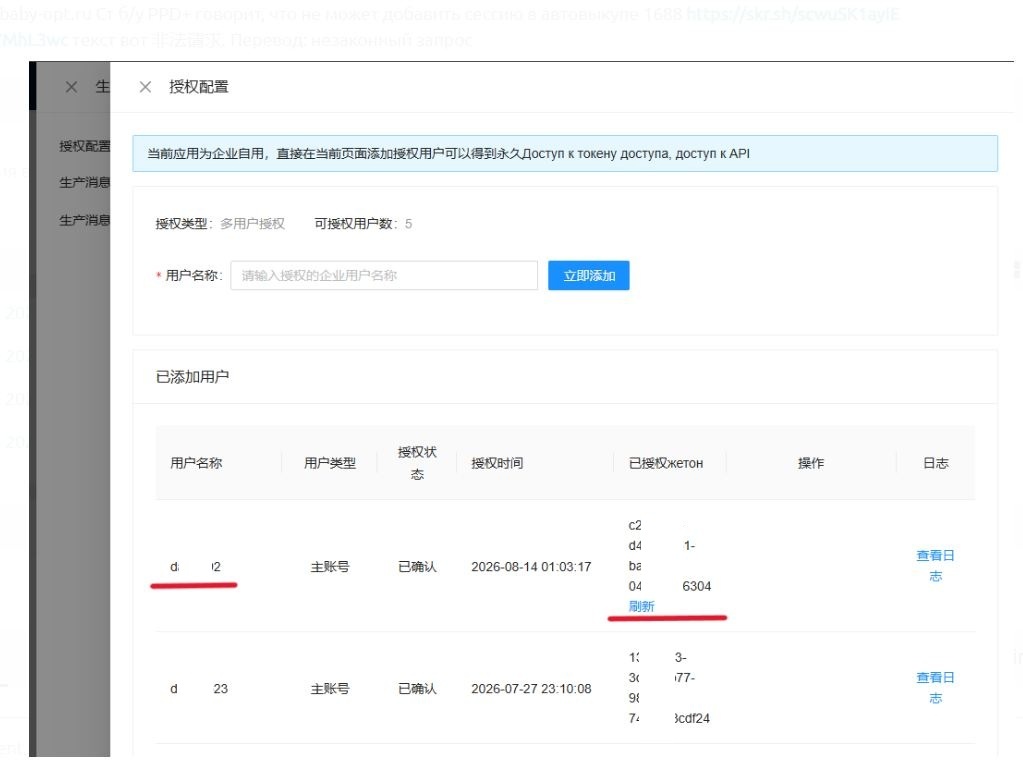
If, on the website https://open.1688.com/solution/detail?spm=a260s.26056301.0.0.6cc455edYW2sHt&key=1613638539385 (where you create the key), there is a blue "Refresh" button (in Chinese only) next to the token, it means that your token is permanent.
From August 2026, changes were made to the 1688 application's authentication mechanism: a "Permanent token user name" field and a permanent token were added alongside the existing key and secret. If you encounter an "Invalid/Illegal Request" (非法请求) error when authorizing via the Admin panel, it means your key is subject to these changes.
In this case, you must enter the Permanent token user name and Permanent access token details in the settings under Admin > Plugins > Autopurchase > Settings > 1688. Once saved, the system automatically creates an auto-purchase session without requiring the previous OAuth authorization process. If the user or token is changed or reset, the old session is deleted, and a new one is created using the updated data.
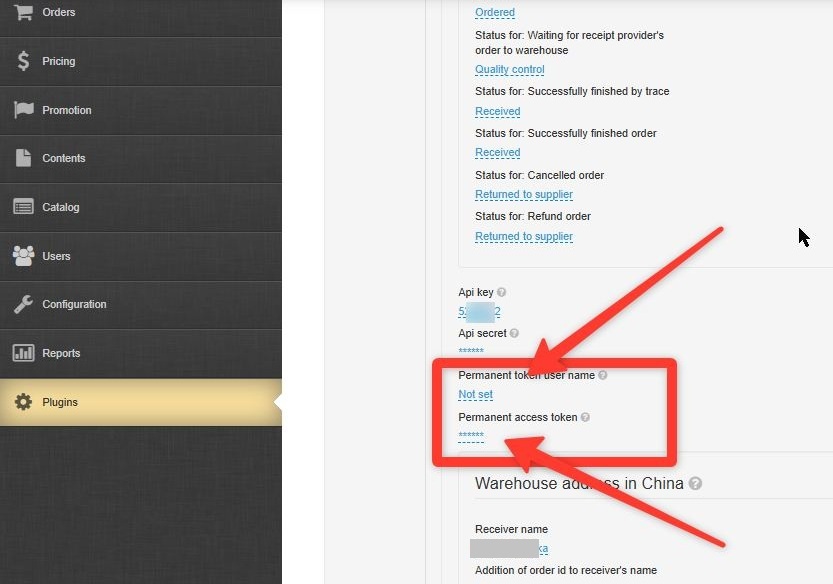
Take the data from the 1688 account.