
| Оглавление |
|---|
Obtain Autopurchase Key
Obtain Key from OT
We can provide you with our own Key for Autopurchase. Please write to support manager in your Telegram chat to obtain the Key.
Create Your Own Key
| Important: Previously, Key limit was 5000 products, but now it has been reduced to 1000 products. Once the purchase reaches 1000 products, a new Key must be created. |
|---|
Follow the link https://open.1688.com/solution/detail?spm=a260s.26056301.0.0.6cc455edYW2sHt&
...
Key=1613638539385 Click on the orange button at the top.
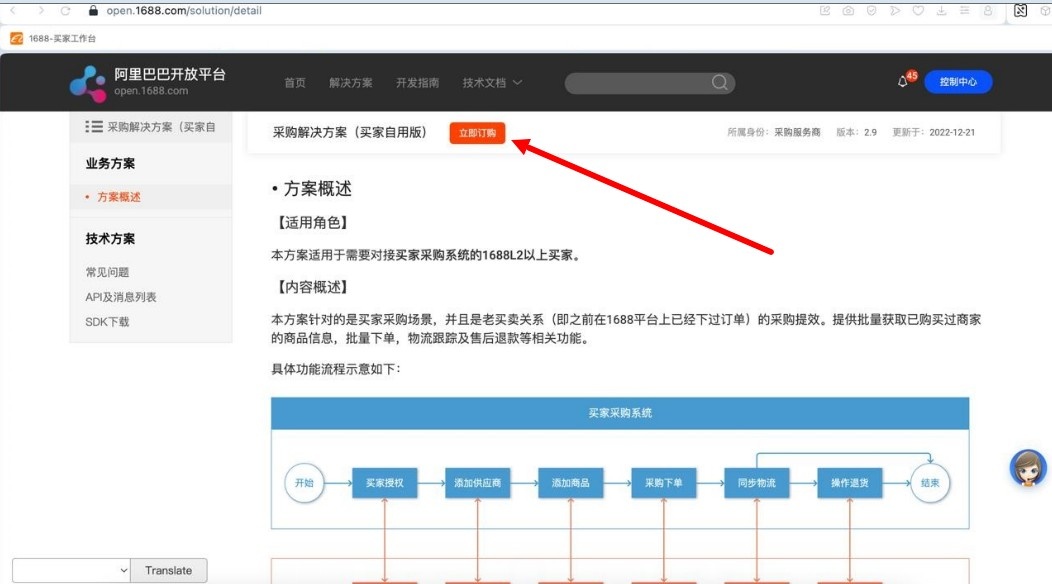
2. Click order test at the end of the line.

3. Describe your business activities. Attach a company logo.
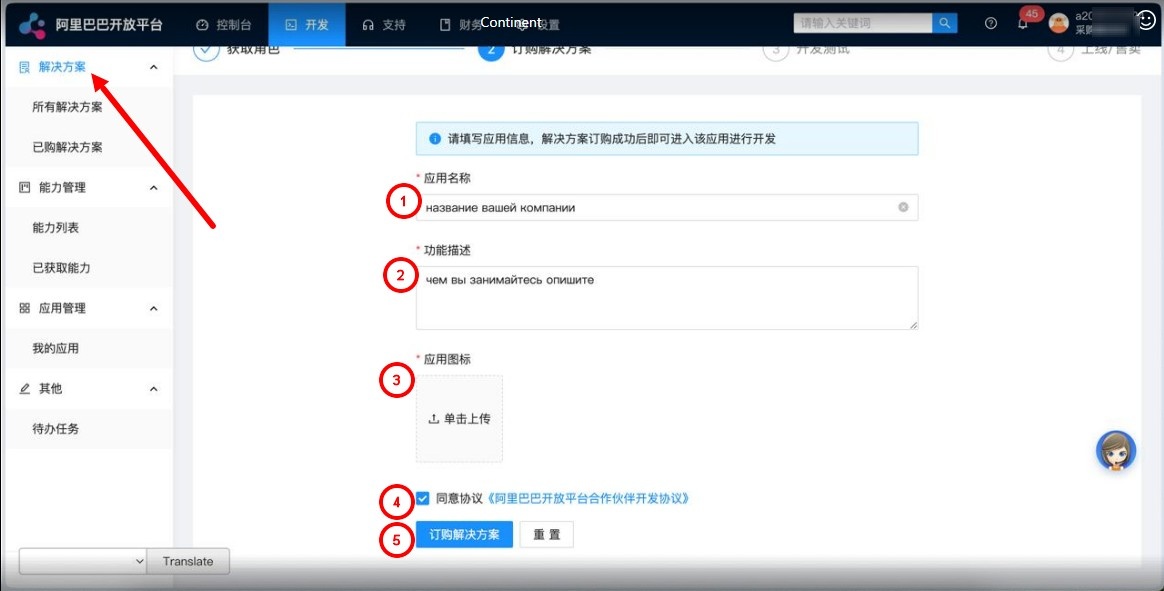
The website will ask you to fill out an application to obtain ‘Procurement Service Provider’ status. Agree:

If your account is new and not all information has been provided, the website will prompt you to complete it.
The screenshot below shows a message asking you to fill in your company details.

Select a suitable role:

Next, fill out the form, indicating the company, type of activity, etc.
The test Key 4. The test key for Autopurchase was created successfully.
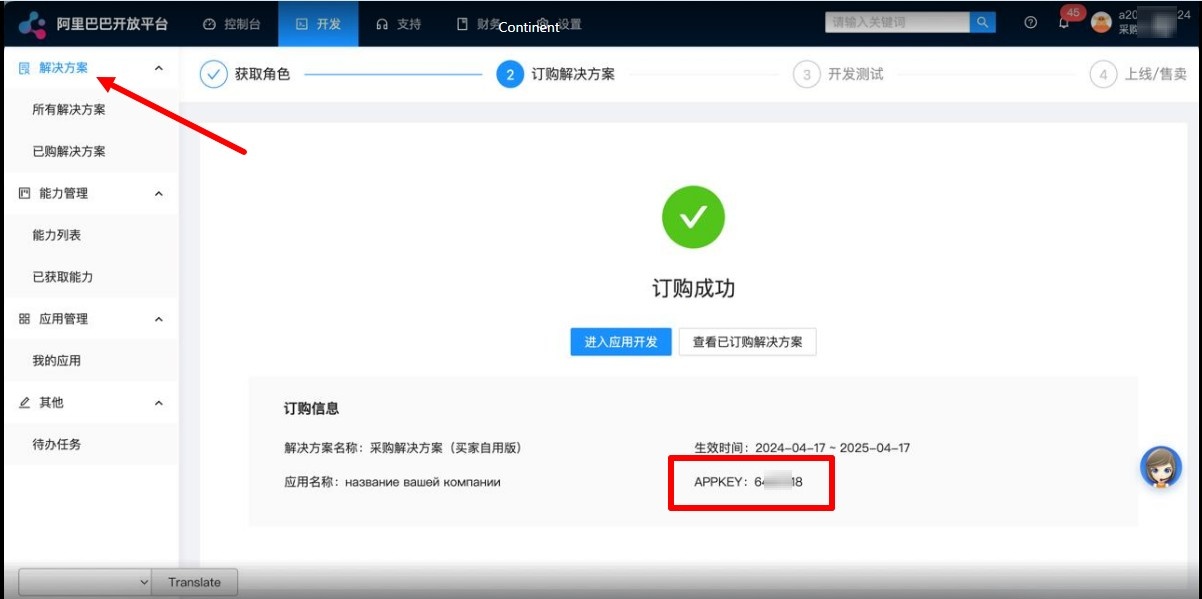
5. Return to the created test key Key for autopurchase Autopurchase and scroll down the page
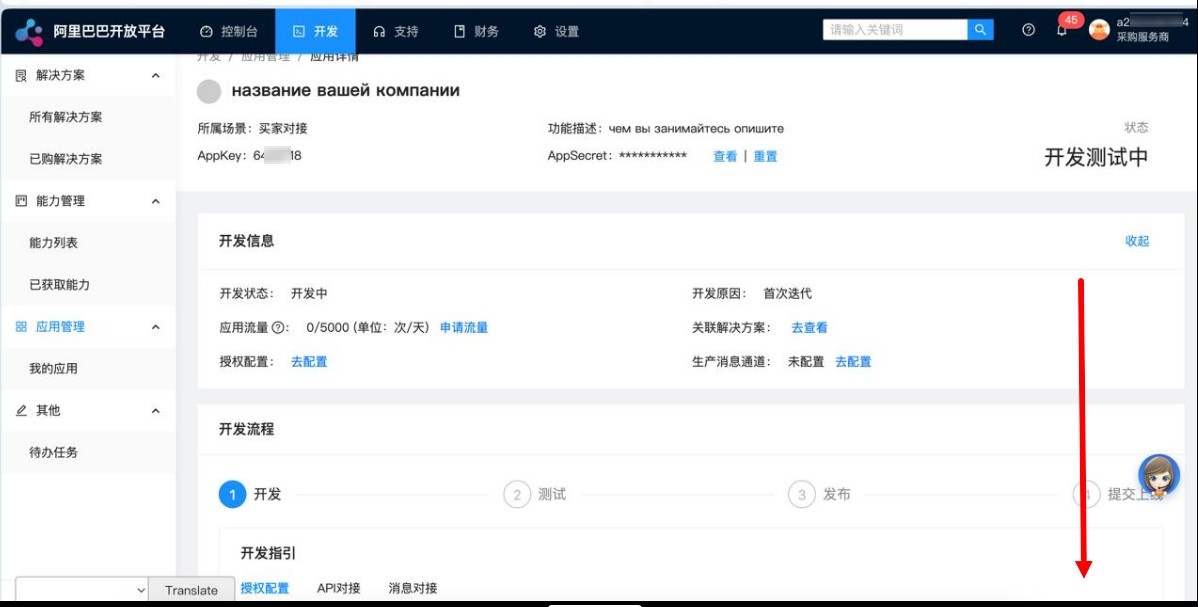
6. You need to click on the blue button below.
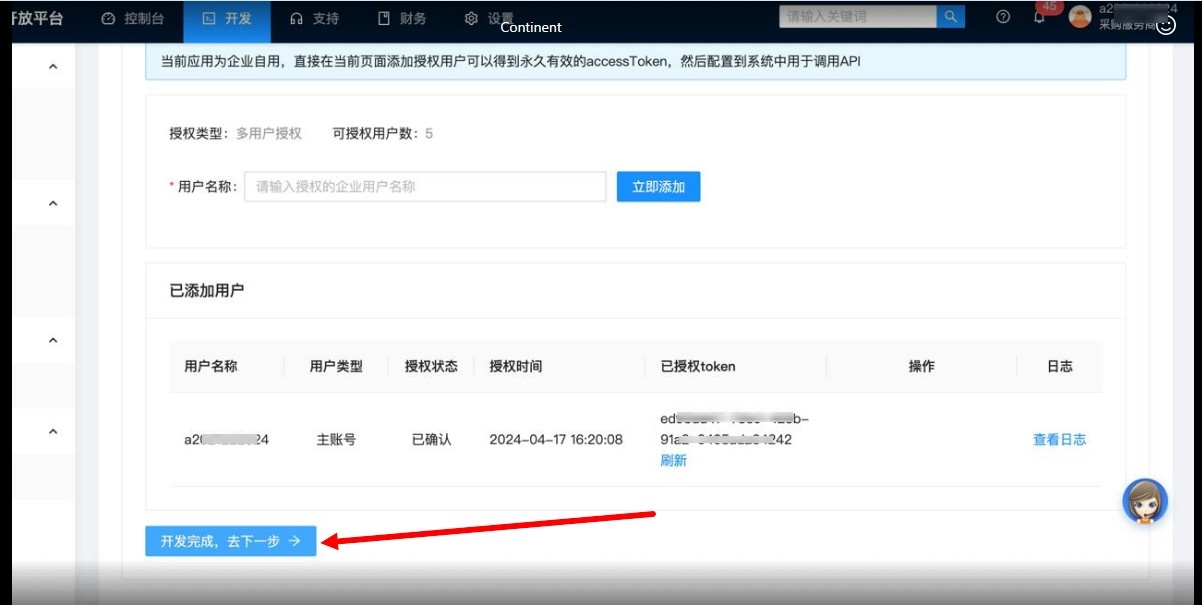
7. Select section 4 to configure the key Key for autopurchaseAutopurchase.
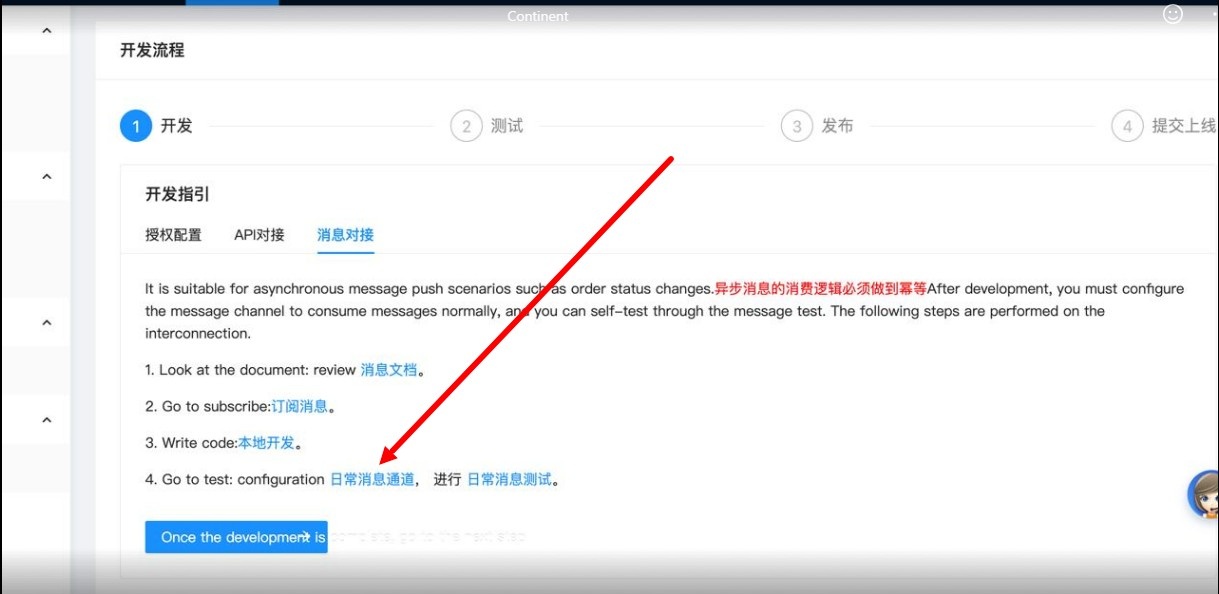
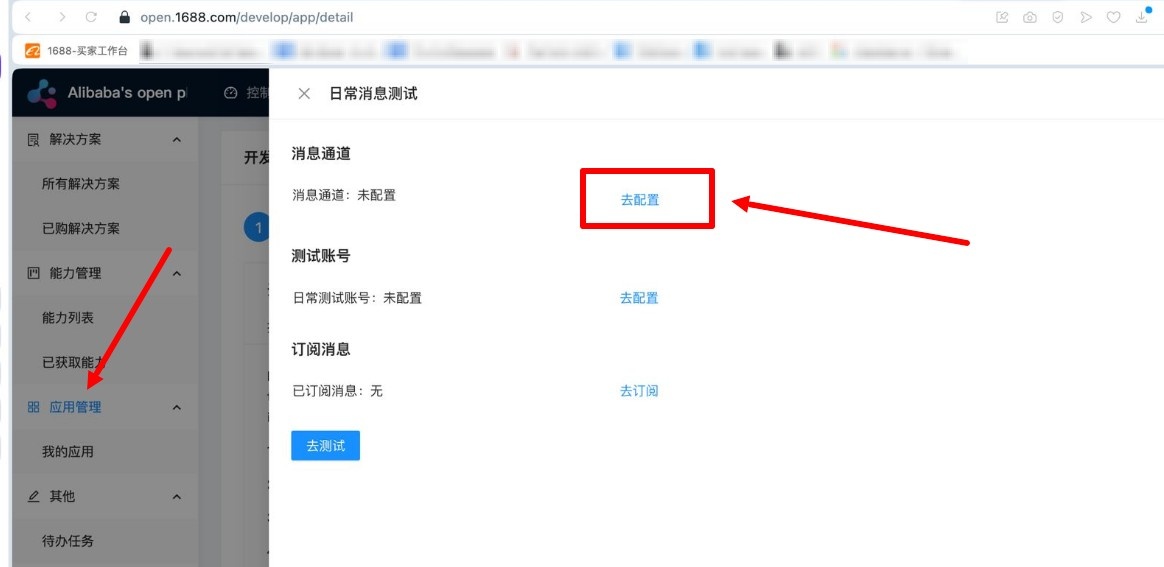
8. Select the first button.
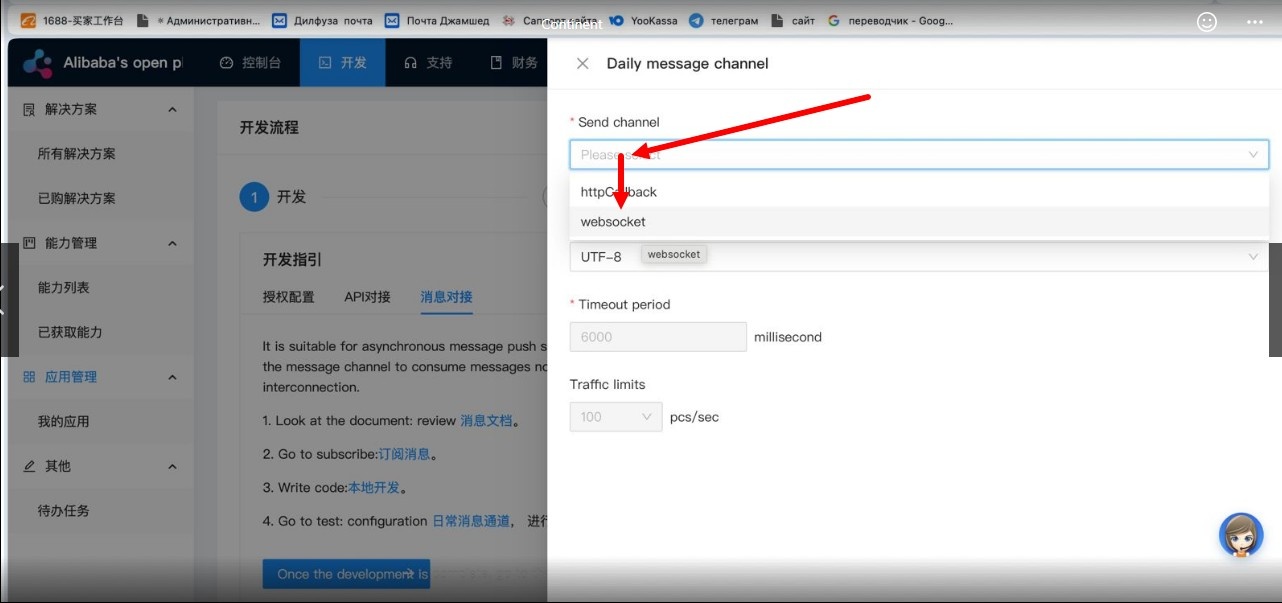
9. Select Select Websocket, click on the blue button below and exit.
10. Now select the second button and indicate your account ID where you will buy products on the original website
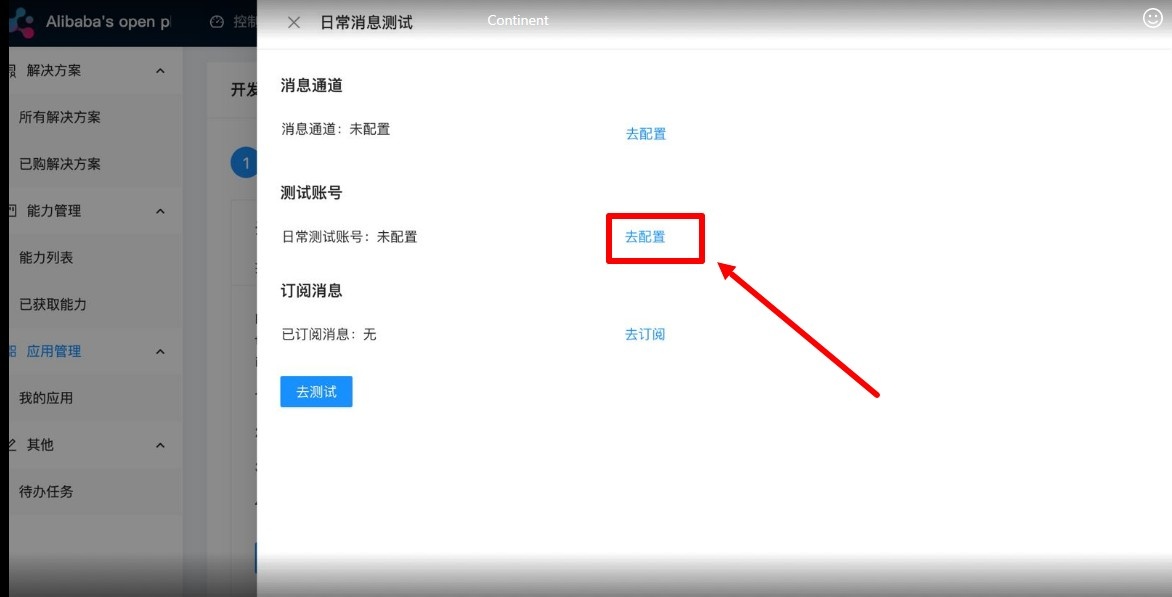
You can see your account ID here


Now 11. Now select the third button, select all the commands and click on the area where there is a check mark on the screen
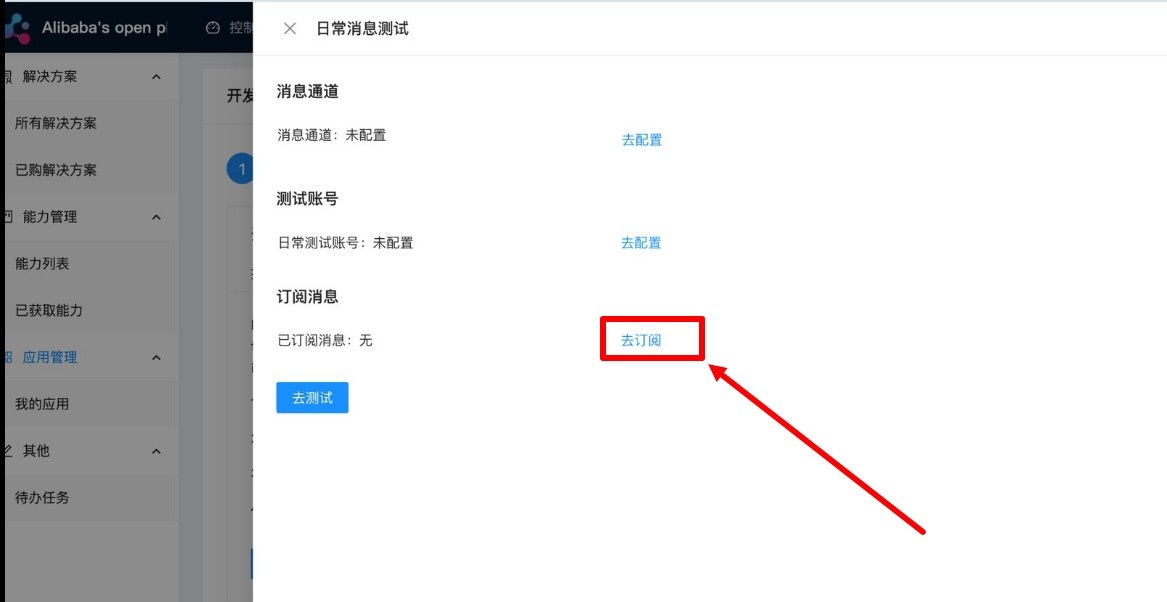
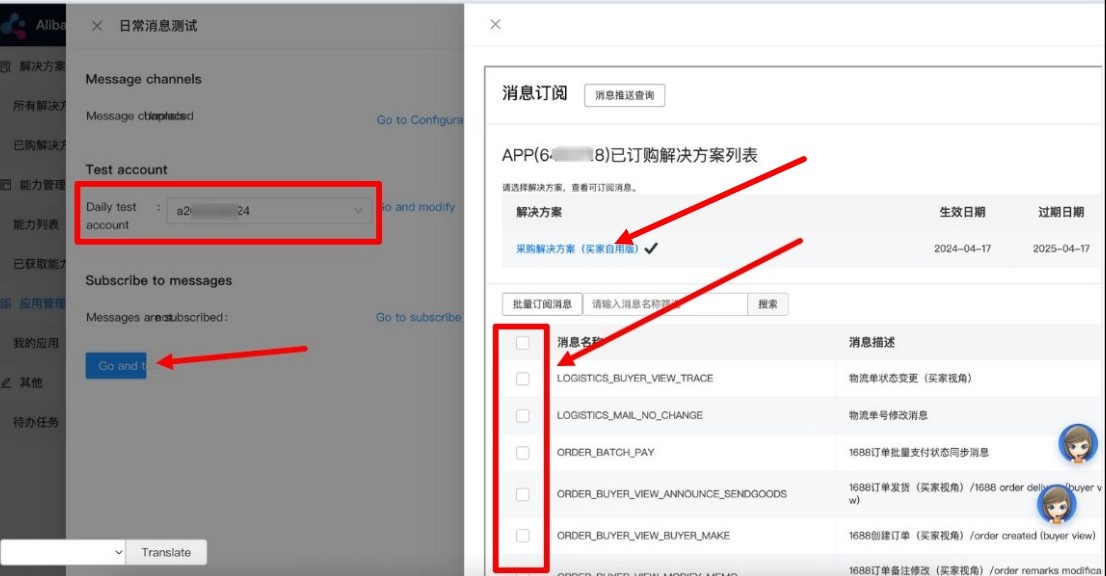
12. Confirm Confirm sending the test commands with the blue button and exit.
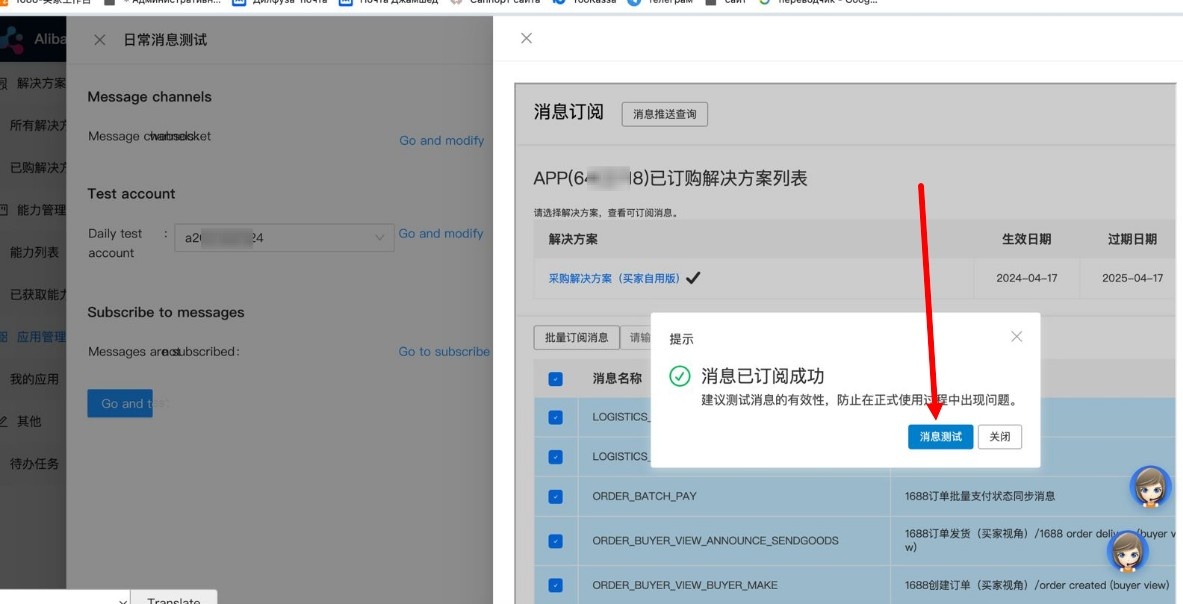
13. Exit Exit the settings and click on the blue button on the screen (the translated page is in English in the screenshot) and that’s it
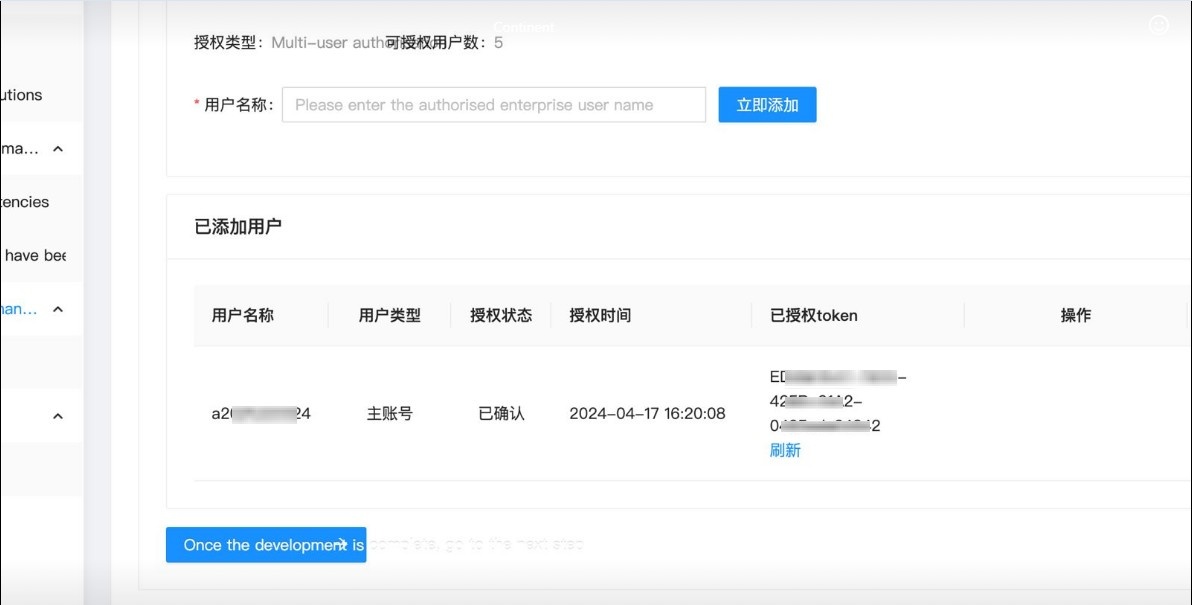
14. You should have completed step 2 of the test and that's it.
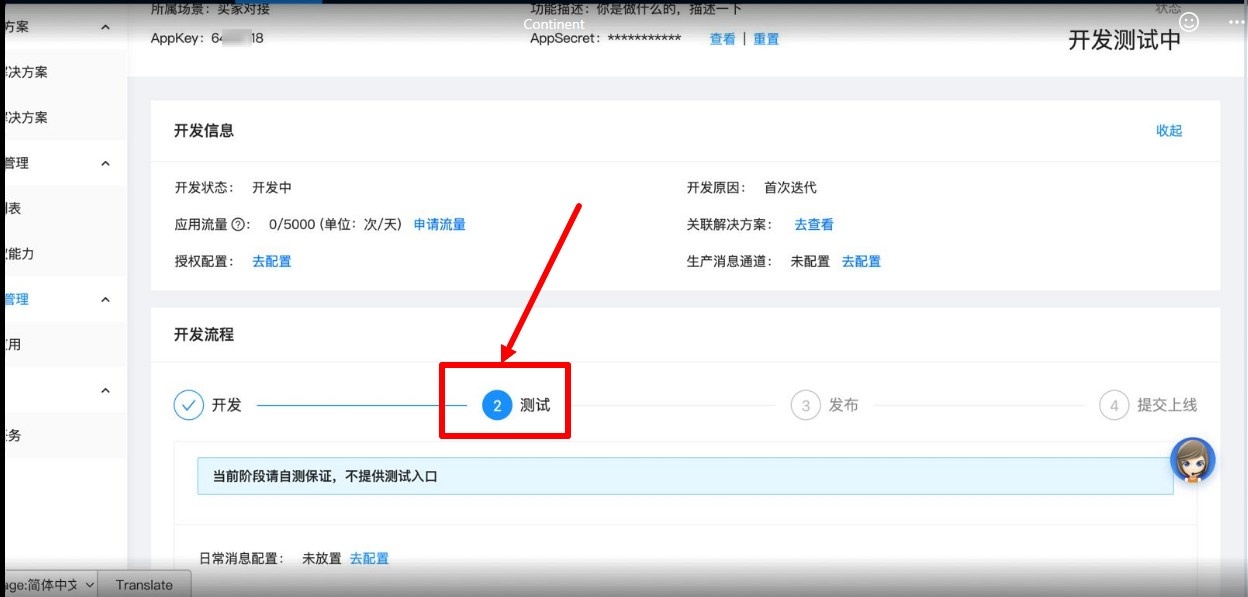
15. Next, you need to go to Admin-Plugins-Autopurchase-Settings for provider 1688 and specify the key and secret key. After authorization from the Admin panel on the provider’s website, you can purchase goods through Autopurchase
- You also need to link your Alipay account. This is required to reserve items on 1688. You can link your Alipay account using a business or personal Alipay account (linking a personal Alipay account is not guaranteed).
| Раскрыть | ||
|---|---|---|
| ||
On the 1688.com side, the requirements for the type of Alipay account may depend on the seller and the terms of transaction. In most cases, a regular Alipay account (personal account) is enough for placing and managing orders. However:
That is: If this is a critical issue for you, we recommend checking with specific suppliers before working with them. |
Add Key in OT Box
You must have Autopurchase module installed to work with autopurchase. Go to “Plugins” section in admin panel of OT Box and find ‘Autopurchase’. Click on it. If the plugin is not there, contact manager in your Telegram chat.

Select 1688 on "Settings" tab

Indicate Key in settings.
- If you have a private key obtained according to the instructions above, enter both the Key and the Secret.
- If you have a key obtained from OT manager, fill in only the ‘Key’ field; the Secret will be filled in automatically.


